

AvinaSignals__c) inside your Salesforce org every time a signal fires. This custom object stores all signal data in a structured format that you can use for reporting, automation, and workflows.
Each record contains:
Example record (what you’ll see in your Salesforce org):
Signal Summary: Avina Alert: Dev Security hired Brandon Riley as their new Chief Revenue Officer. He joined the company in Feb 2025 and is based in Ann Arbor, Michigan, United States.
Tags: avina_new_hire_signal
Setup Guide
Before Avina can push signals to your Salesforce org, you’ll need to create the Avina Signals custom object that will store the signal data.Creating the Custom Object
- Download the object definition: Download CSV file that defines the custom object attributes.
- Navigate to Object Manager: In your Salesforce org, go to Setup → Object Manager.
- Create Object from Spreadsheet: Click Create and then select Create Object from Spreadsheet.
-
Upload the CSV: Upload the downloaded CSV file to create the
AvinaSignals__ccustom object. - Complete the import: Add the CSV to the import list. If you encounter any issues, try using an incognito/private browser window.
- Find your new object: Go back to Object Manager and locate your newly created Avina Signals object.
- Create Account lookup field: Click into the Avina Signals object, then click New to create a new field. Select Lookup as the field type, choose Account as the related object, then click Next through the setup process and Save.
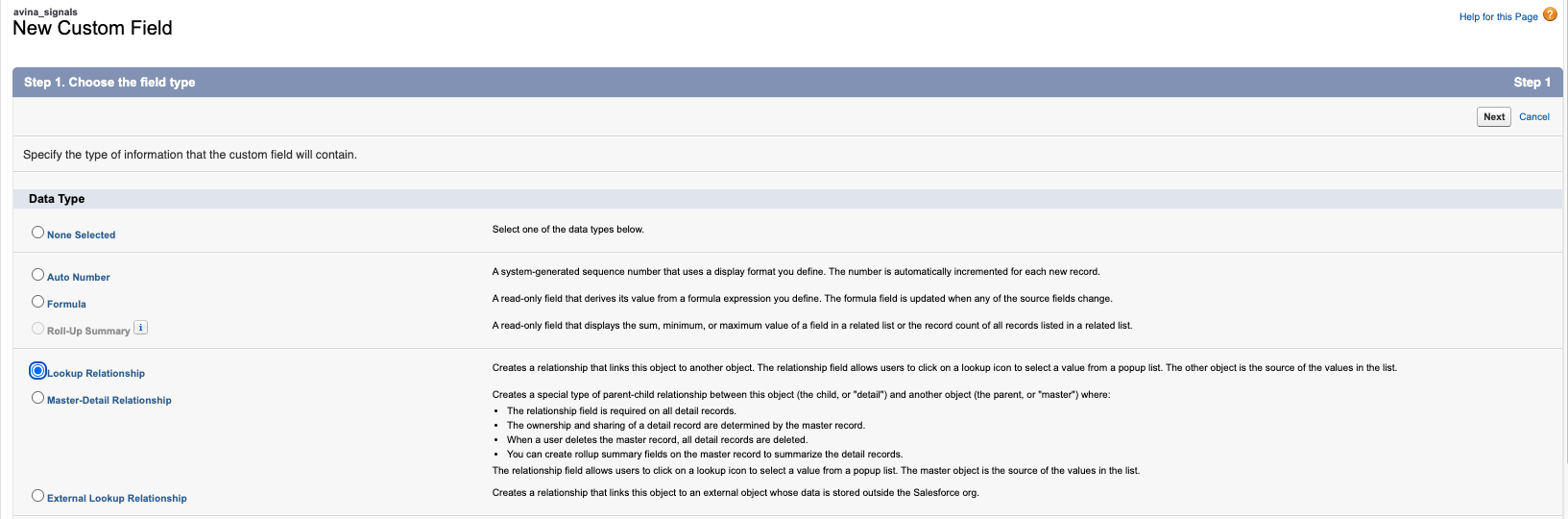
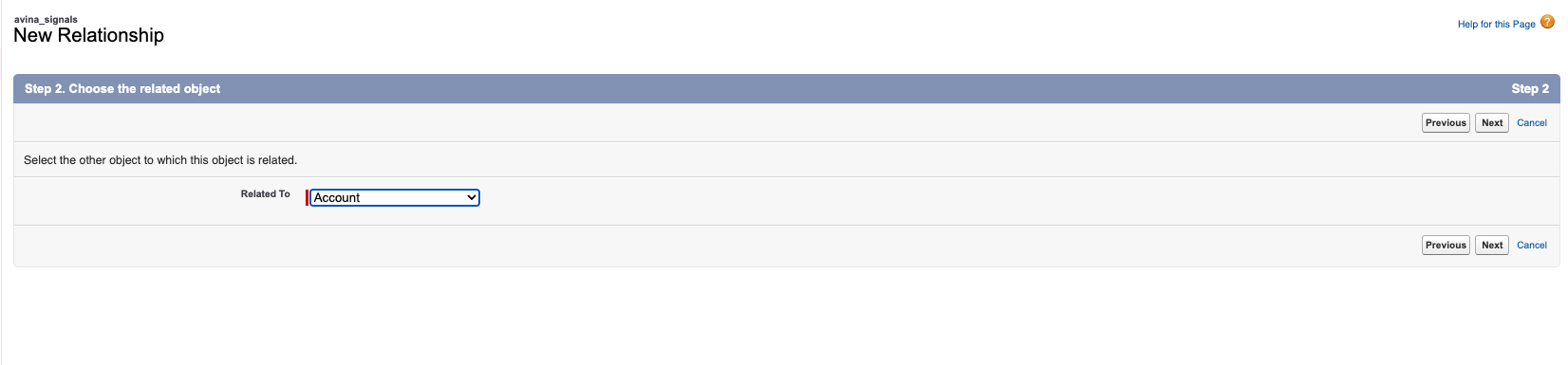
- Create Contact lookup field: Repeat step 7, but this time select Contact as the related object for the lookup field.
- (Optional) Create Lead lookup field: Repeat step 7, but this time select Lead as the related object for the lookup field.
- Enable push settings for Salesforce: Go to Settings → Integrations in the Avina dashboard. Select the Salesforce connector and enable Push resolved contacts to Salesforce, Push ICP contacts to Salesforce, and Push signals to account and contact activity.
- All done! Once complete, Avina will start creating records in your Avina Signals custom object with proper relationships to Account and Contact records as signals are created.
Tag reference
Tip: Some signals carry multiple tags. E.g., a Champion visiting the site will include bothavina_web_visit_signalandavina_champion_movement_signal.